


A notice under Section 143(1) is an intimation sent after processing your ITR. It highlights any discrepancies, refunds, or additional tax payable based on a comparison between your return and the department's data. It’s not a scrutiny notice but a routine check.
Income Tax Notice: Check & Authenticate ITR Notices Online
An income tax notice is a written communication sent by the Income Tax Department to a taxpayer alerting him to an issue with his tax account. The notice can be sent for different reasons, such as filing/ non-filing their income tax return, making the assessment, asking for certain details, etc. When the Income Tax Department sends a notice, the taxpayer has to act on it within the given timeline and resolve the matter with the tax authorities.
5500+ Notices Resolved
Trusted by 1 Million+
Secure & Safe
Got Income Tax Notice?
Types of Income Tax Notices
The income tax department sends different types of ITR notices to taxpayers depending on the cause of the notice. These notices are as follows –
A notice under Section 148 is issued when the Income Tax Department believes that income has escaped assessment. It allows the department to reopen past assessments to tax unreported or underreported income.

A notice under Section 139(9) of the Income Tax Act, 1961 is issued by the Income Tax Department when your filed Income Tax Return (ITR) is found to be “defective”.

A Notice under Section 131 of the Income Tax Act, 1961 is issued when the Income Tax Department wants to investigate or gather evidence in connection with an ongoing assessment or inquiry.

A Notice under Section 143(2) of the Income Tax Act, 1961 is issued when the Income Tax Department selects a taxpayer’s return for scrutiny assessment under Section 143(3).

A Notice under Section 142(1) of the Income Tax Act, 1961 is issued by the Income Tax Department, when it needs additional information, documents, or clarification from a taxpayer.
What are the Most Common Causes of Notice?
The most common causes for which you might receive an income tax notice include the following –
- ITR Mismatch
- Mismatch in the amount of TDS reported.
- An error in your income tax return.
- Lack of submission of all the documents.
- Non-filing or delayed income tax return filing.
- When you invest in the name of your spouse and do not mention the same in your income tax returns
- If high-value transactions have been done during the financial year and have not been properly reported in the ITR.
- Inaccurate Information on Assets or Income
- If the assessing officer does random scrutiny of your income tax return.
- When long-term capital gains earned from equity investments are not reported correctly.
- If the taxpayer does not disclose any income or there is a discrepancy in the disclosed income.
- If a wrong income tax return form is used for filing the income tax return.
- If your refunds can be set off against the previous year’s tax liability.
- If you have evaded tax in previous financial years.
- If the Self-assessment tax still needs to be paid.
Things to do after Receiving an Income Tax Notice
When you receive an ITR notice under any of the aforementioned sections, the following steps should be taken –
- Read the notice thoroughly to find out why it has been sent
- Check the basic details on the notice to ensure that the notice is meant for you. The notice should contain your correct name, PAN number, address, etc., to authenticate that it is sent to you. Also, check the assessment year mentioned in the ITR notice.
- Find out the discrepancy in your income tax return that caused a notice to be served, if any.
- Respond to the ITR notice within the stipulated time period to avoid penalties and prosecutions.
- Ensure that your response is backed by adequate information.
- Also, make sure to check the notice that you have received is reflected in your income tax account online. Take expert help
Legal Consequences of Ignoring an Income Tax Notice
Ignoring a tax notice can lead to penalties, fines, and further legal action by the tax authorities. Your return may be treated as invalid and therefore consequences such as penalty, interest, non-carry forward of losses, loss of specific exemptions may occur, as the case may be in accordance with the Income Tax Act.It may also result in additional tax liabilities and damage to your financial reputation.
Income Tax Notice Sample Format
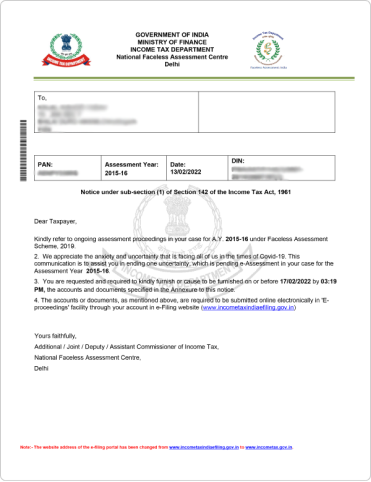
Section 142 (1)
Return not filed within the due date of assessment period
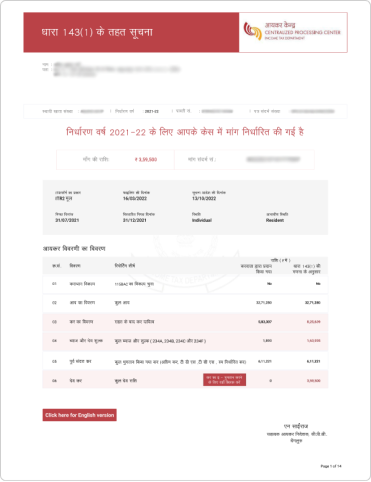
Section 143 (1)
Return processed successfully. Error in the amount of deduction, loss claimed, etc.
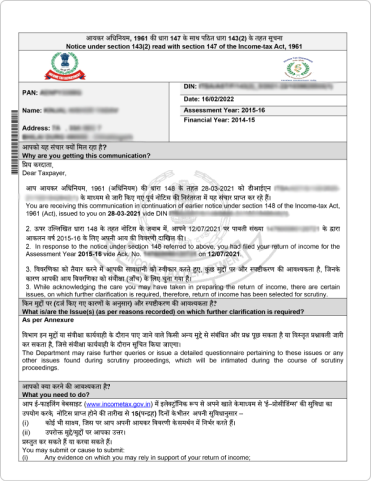
Section 143 (2)
Notice to reconfirm that the tax return filed is accurate, and deduction has not been claimed in excess
Section 143 (3)
Detailed assessment notice to ensure all claims, deductions, etc., are filled correctly without any errors.
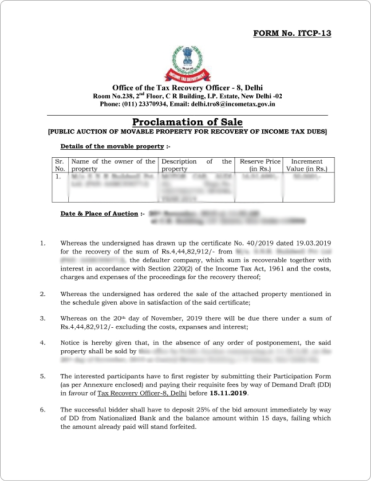
Section 147
A notice sent if the assessing officer feels that any income has not been assessed
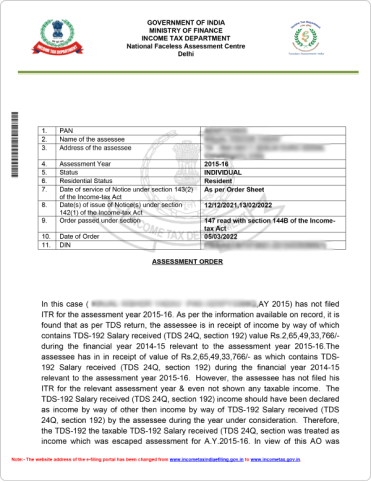
Section 139 (9)
In case of inaccuracy in returns such as missing information, incorrect filling of return, etc.
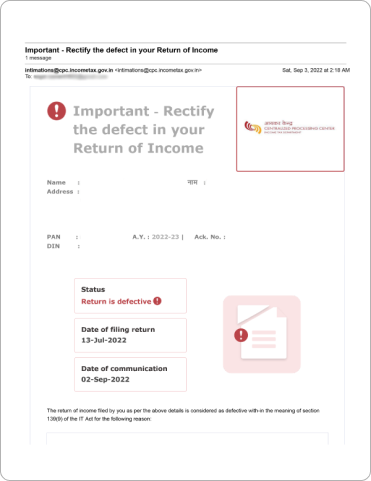
Essential Documents to Respond to an Income Tax Notice
The type of documents required for replying to an income tax notice depends on the type of notice received. Here are some basic documents that are common to every notice –
- The Income Tax Notice copy.
- Proof of Income source such as (Part B ) of Form 16, Salary receipts, etc.
- TDS certificates, Form 16 (Part A)
- Investment Proof if they are applicable.
How To Authenticate Notice/Order Issued by ITD?
Before responding to a tax notice received, it is important to authenticate it. Here are the steps to authenticate income tax notice online on the income tax portal –
- Step 1. Visit the income tax portal and click on “Authenticate notice/order issued by ITD” under the section “Quick Links.”
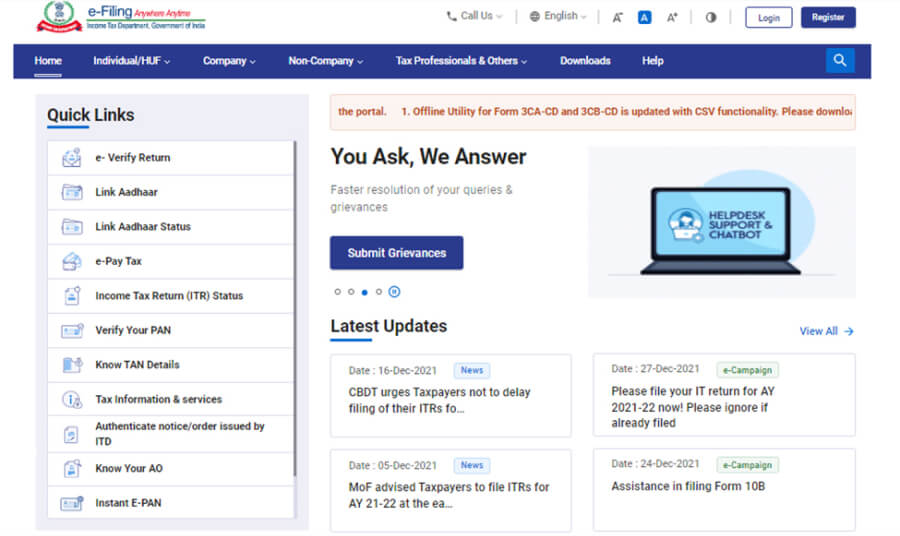
- Step 2. You can authenticate your income tax notice using
PAN, assessment year, document type, mobile number, and issue date.
- Fill in all the details like PAN, assessment year, document type, etc.
- After filling in the details, enter the OTP received on your registered mobile number.
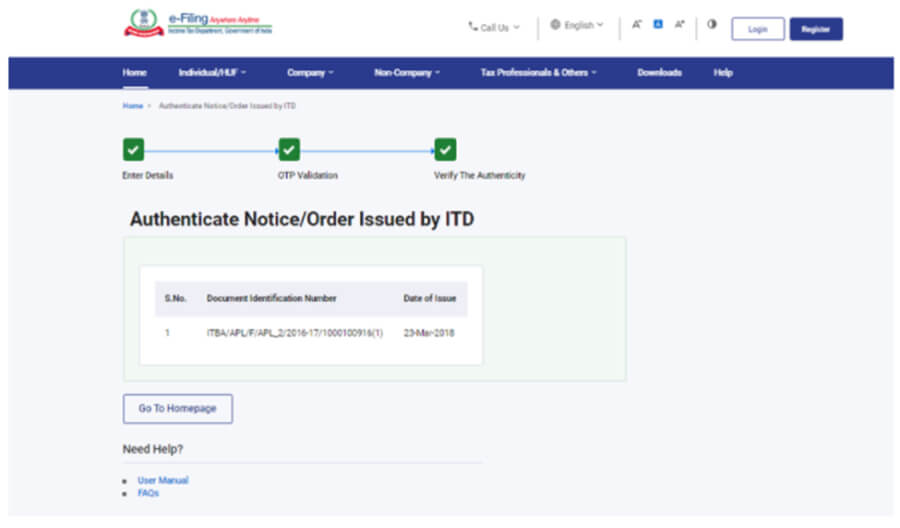
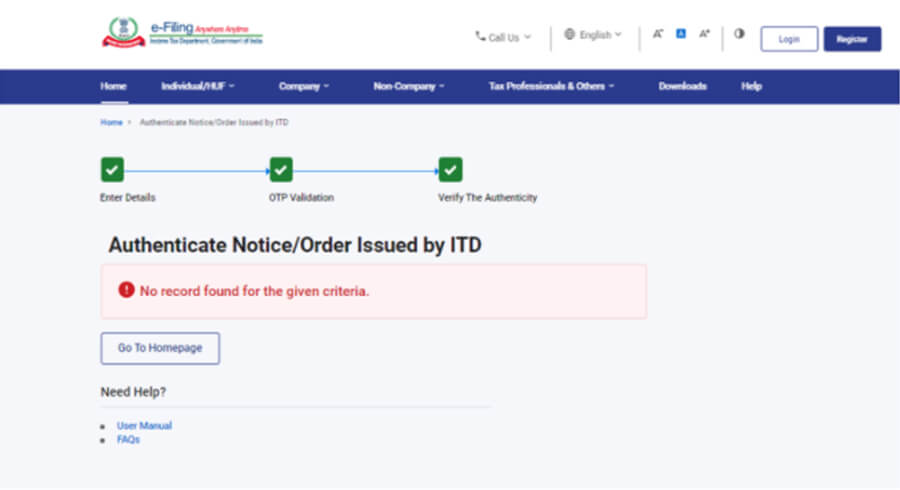
- After OTP validation, you can see the date of the issue of the notice along with the DIN of the notice issued. If no notice has been issued, a message will be displayed saying, “No record found for the given criteria.”
Authenticate using DIN and mobile number.
- Enter your mobile number and DIN number.
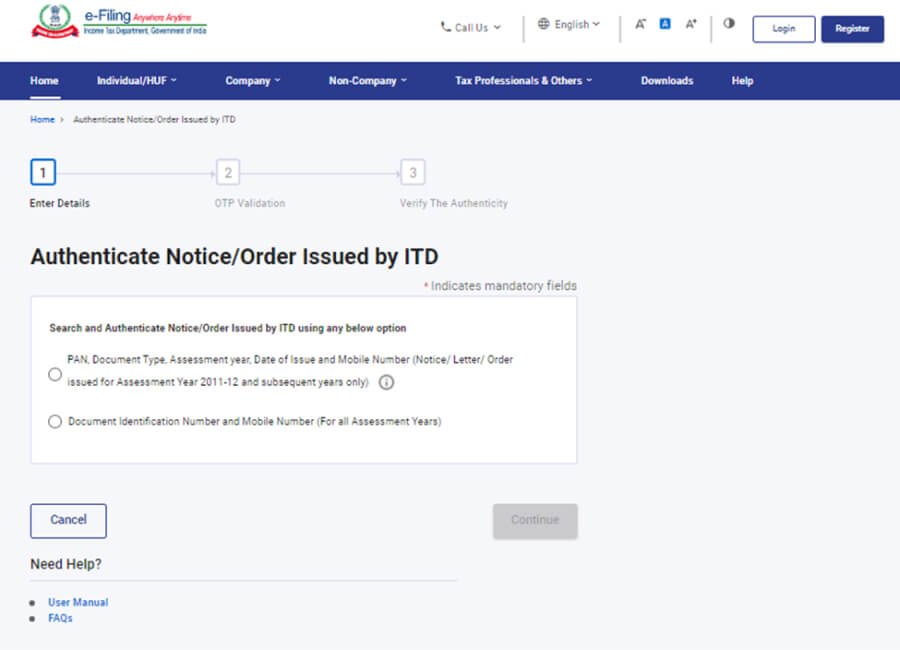
- Step 3. To authenticate using your PAN, document type, assessment year, issue date, and mobile number, select the appropriate option and enter all the required details.
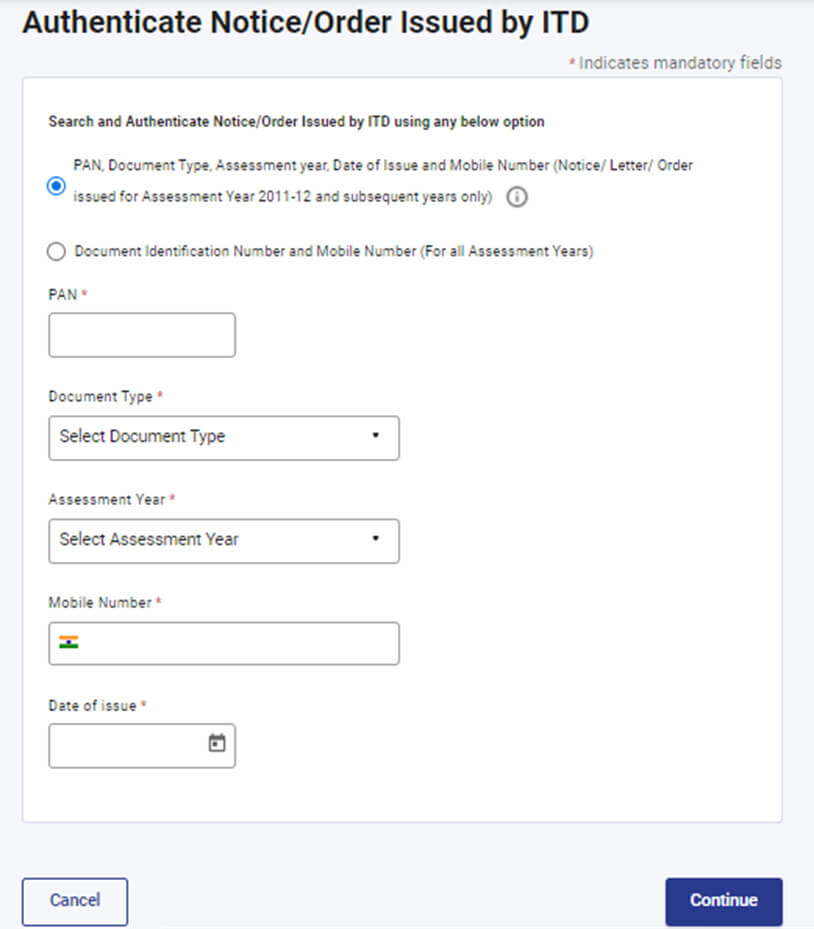
- Step 4. After entering all the details, you will receive an OTP. Enter the OTP you received. Once validated, the DIN of the notice and the date of issue will be displayed.
If the notice is not issued by the ITD, a message saying “No record found for the given criteria” will be displayed.
Step 5. Another option is to authenticate using your DIN and mobile number.
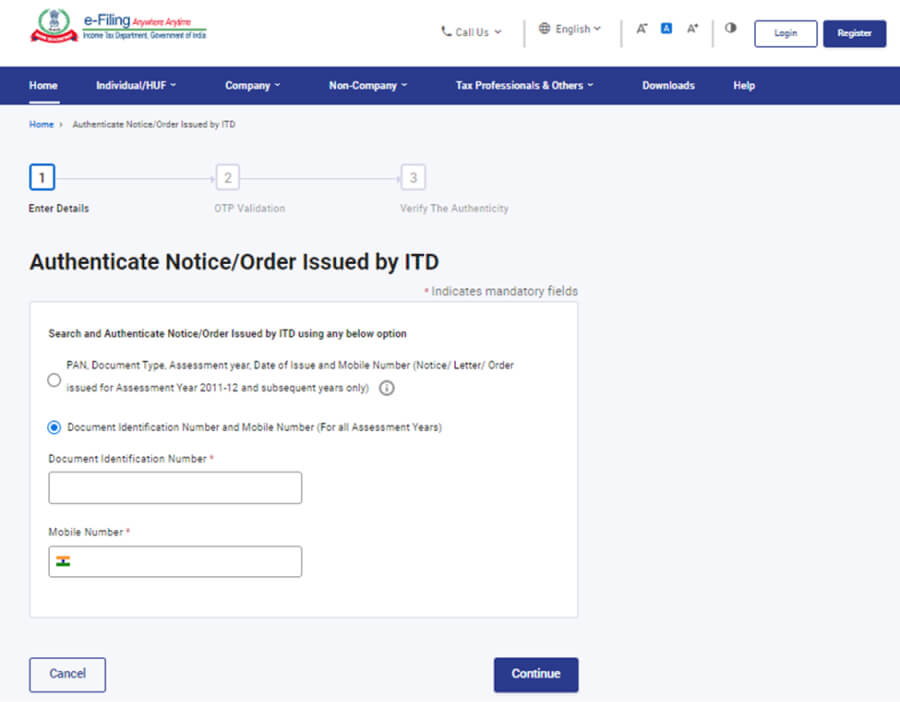
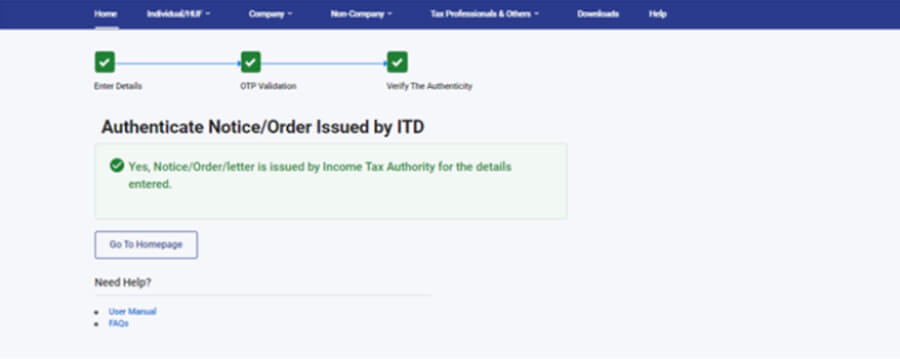
Step 6: Enter DIN and mobile number and continue. You will receive an OTP. Validate using OTP.
If the notice/order is issued by the income tax authority, it will display a success message, as shown below.
How Can TaxSmooth Help You Respond to an Income Tax Notice?
Received a tax notice from the Income Tax Department? Don’t worry—TaxSmooths got your back! Here’s how we make it stress-free:
- Expert Guidance: Get personalised assistance from our team of experienced CAs and tax professionals.
- Detailed Notice Analysis: We decode the notice to help you understand exactly what the IT Department wants.
- Right Documentation: We help identify and compile all necessary documents needed for your reply.
- Drafting Accurate Responses: Our experts prepare clear, compliant, and timely replies to avoid penalties.
- Complete Compliance: We ensure your response aligns with tax laws to reduce the chances of further queries.
Got Income Tax Notice? Don't Panic
Let tax experts help you with Responding and Resolving the notices
- 1,00,00+ Notices Resolved
- Handled by the Experts
- Timely Resolution
